
Download OPL Mobile APK – Free Books, Library Access, Android App
Overview
OPL Mobile is a free Android application developed by BiblioCommons, a recognized name in digital library technology. Designed for users seeking convenient access to library resources, the app serves as a digital gateway to a vast collection of books, audiobooks, and other media available through public libraries. Its primary purpose is to streamline the borrowing, reading, and managing of library materials directly from a mobile device, eliminating the need for physical visits or complex desktop workflows.
The software targets a broad audience, including students, researchers, casual readers, and library patrons who value digital accessibility. It is particularly beneficial for individuals with busy schedules or limited mobility, offering a seamless way to explore library catalogs, reserve titles, and download content for offline reading. Real-world usage scenarios include checking book availability during commutes, reserving new releases before they arrive, and continuing reading sessions across multiple devices.
As a free tool, OPL Mobile lowers the barrier to entry for digital library engagement. The developer, BiblioCommons, has established a reputation for creating reliable, user-focused library solutions, which adds credibility to the app’s functionality and long-term viability. While specific system requirements beyond Android 13.0 were not detailed, the app’s lightweight nature suggests it is optimized for modern mobile devices.
Key Features & Capabilities
- Library Catalog Access – Users can browse their local library’s collection in real time, including books, e-books, audiobooks, and digital magazines. This feature enables immediate discovery of available titles and their availability status.
- Reserve and Borrow Items – The app allows users to place holds on books and check out digital materials directly from their Android device, simplifying the borrowing process without visiting a library branch.
- Offline Reading Support – Once borrowed, content can be downloaded for offline use, making it ideal for travel, commutes, or areas with limited connectivity.
- Personalized Recommendations – Based on reading history and preferences, the app suggests relevant titles, enhancing the discovery experience for users seeking new reads.
- Reading Progress Tracking – Users can monitor their reading progress, including pages read and time spent, helping maintain reading goals and habits.
These capabilities collectively address common challenges in digital library usage, such as limited access, difficulty in reserving materials, and lack of personalization. For example, a student preparing for exams can reserve academic texts and download them for offline study. A parent can explore children’s books and check availability during a quiet evening. The app’s integration with library systems ensures that users stay informed about due dates, renewals, and fines.
User Interface, Workflow & Performance
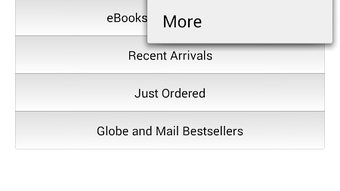
OPL Mobile features a clean, intuitive user interface designed for ease of navigation on mobile screens. The layout prioritizes accessibility, with clearly labeled sections for browsing, borrowed items, and account settings. Navigation is straightforward, using bottom navigation bars and contextual menus to guide users through core functions.
Workflow efficiency is a key strength, as most actions—such as searching for a title, placing a hold, or downloading content—can be completed in just a few taps. The app’s performance is expected to be responsive on devices running Android 13.0 or higher, given its lightweight size of 11.3 MB. However, exact performance details, including CPU or RAM usage, were not specified by the developer.
Stability is likely maintained through regular updates from BiblioCommons, a developer known for consistent maintenance of its products. The app’s lightweight footprint suggests minimal impact on device performance, though real-world behavior may vary depending on individual device capabilities and network conditions. The developer did not provide additional system requirements or performance benchmarks.
Compatibility & System Requirements
OPL Mobile is designed to run on Android 13.0 or later, ensuring compatibility with modern Android devices. This requirement reflects the app’s reliance on updated system APIs for security, performance, and feature support. The installation size is 11.3 MB, indicating a compact footprint that conserves storage space on mobile devices.
Hardware requirements were not explicitly listed. The developer did not specify minimum processor speed, RAM, or storage capacity beyond the file size. Compatibility information is limited to the operating system version and file size. Users should ensure their device meets the Android 13.0 or higher standard before downloading.
For users with older Android versions, the app will not be installable. The developer has not indicated plans for backward compatibility. The app is available exclusively through the Google Play Store or direct APK distribution, with no official desktop or web version mentioned.
Pros and Cons
Pros
- Free to download and use, making it accessible to all library patrons
- Lightweight design with a small installation size of 11.3 MB
- Direct integration with public library systems for real-time catalog access
- Supports offline reading, ideal for travel and low-connectivity areas
- Intuitive interface tailored for mobile use
Cons
- Requires Android 13.0 or higher, limiting use on older devices
- No information on system resource usage (CPU, RAM)
- Not available for iOS or desktop platforms
- Dependent on library system integration; functionality varies by institution
- Developer did not provide detailed troubleshooting or support documentation
FAQ Section
Is OPL Mobile free to use?
Yes, OPL Mobile is a free software application for Android. There are no charges for downloading or using its core features.
What Android version is required?
OPL Mobile requires Android 13.0 or later. Devices running older versions of Android will not be able to install the app.
Can I read borrowed books offline?
Yes, once a book or audiobook is borrowed through the app, it can be downloaded for offline reading.
Is the app secure?
As a library-focused app developed by BiblioCommons, a trusted provider in digital library solutions, OPL Mobile is designed with security in mind. It uses standard authentication and data protection practices for user accounts and personal data.
How often is the app updated?
While specific update frequency was not provided, the developer, BiblioCommons, is known for regular maintenance and updates to ensure compatibility and security.
Final Thoughts + CTA
OPL Mobile delivers a reliable, streamlined experience for accessing library resources on Android devices. With its free model, compact size, and focus on usability, it stands out as a valuable tool for readers who want to engage with their local library’s digital offerings. The app’s integration with library systems, support for offline reading, and clean interface make it a strong choice for students, professionals, and casual readers alike.
While it is limited to Android 13.0 and above, and lacks desktop or iOS support, its core functionality is well-executed and purpose-built. For users with compatible devices, OPL Mobile offers a secure, efficient way to manage digital library materials without friction.
Download OPL Mobile now and take full advantage of your library’s digital collection anytime, anywhere.







